

Physics Tab
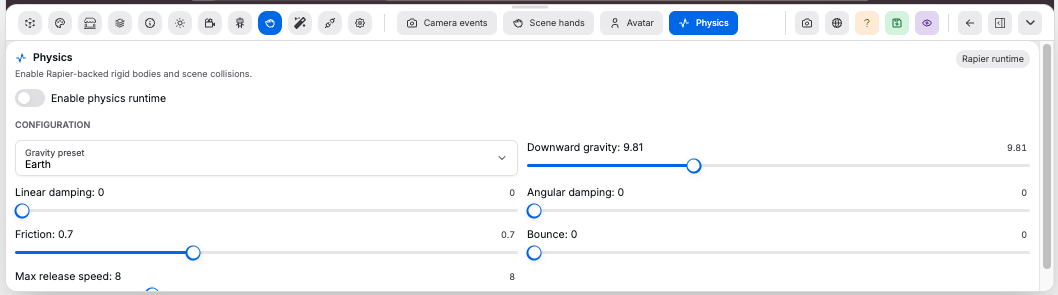
Use Physics to tune Rapier-backed object release and collisions.
Controls:
Enable physics runtime: turns the scene physics runtime on or offReset below floor: recovers a released object to its pre-grab position if it fully falls through the Y=0 floorGravity: Y-axis acceleration. Range-30to0, step0.1Linear damping: slows object movement. Range0to10, step0.05Angular damping: slows object spin. Range0to10, step0.05Friction: controls surface grip. Range0to2, step0.05Bounce: controls restitution. Range0to1, step0.01Max release speed: caps hand-release velocity. Range0to30, step0.25
Value guide:
Gravityuses Y direction:0means no fall,-9.8is earth-like when1 room unit = 1 meter, and more negative values fall faster- Low
Linear damping: objects keep sliding or falling; high values slow movement quickly - Low
Angular damping: objects keep spinning; high values slow spin quickly - Low
Friction: slippery contacts; high values grip more - Low
Bounce: little or no bounce;1is the bounciest setting - Low
Max release speed: gentle throws; high values allow faster throws
Good to know:
- Physics affects dynamic bodies
- Scene Hands
Physicsrelease opts a grabbed object into dynamic movement; other release modes stay in control even when the physics runtime is enabled - Scene geometry body type is set in Geometry Tab
Fixed rigid bodycollides but cannot be grabbedDynamic rigid bodycan be grabbed, pushed, dropped, and collided with