Overview
The Room Editor is the main workspace for building an immersive storefront.
What you see:
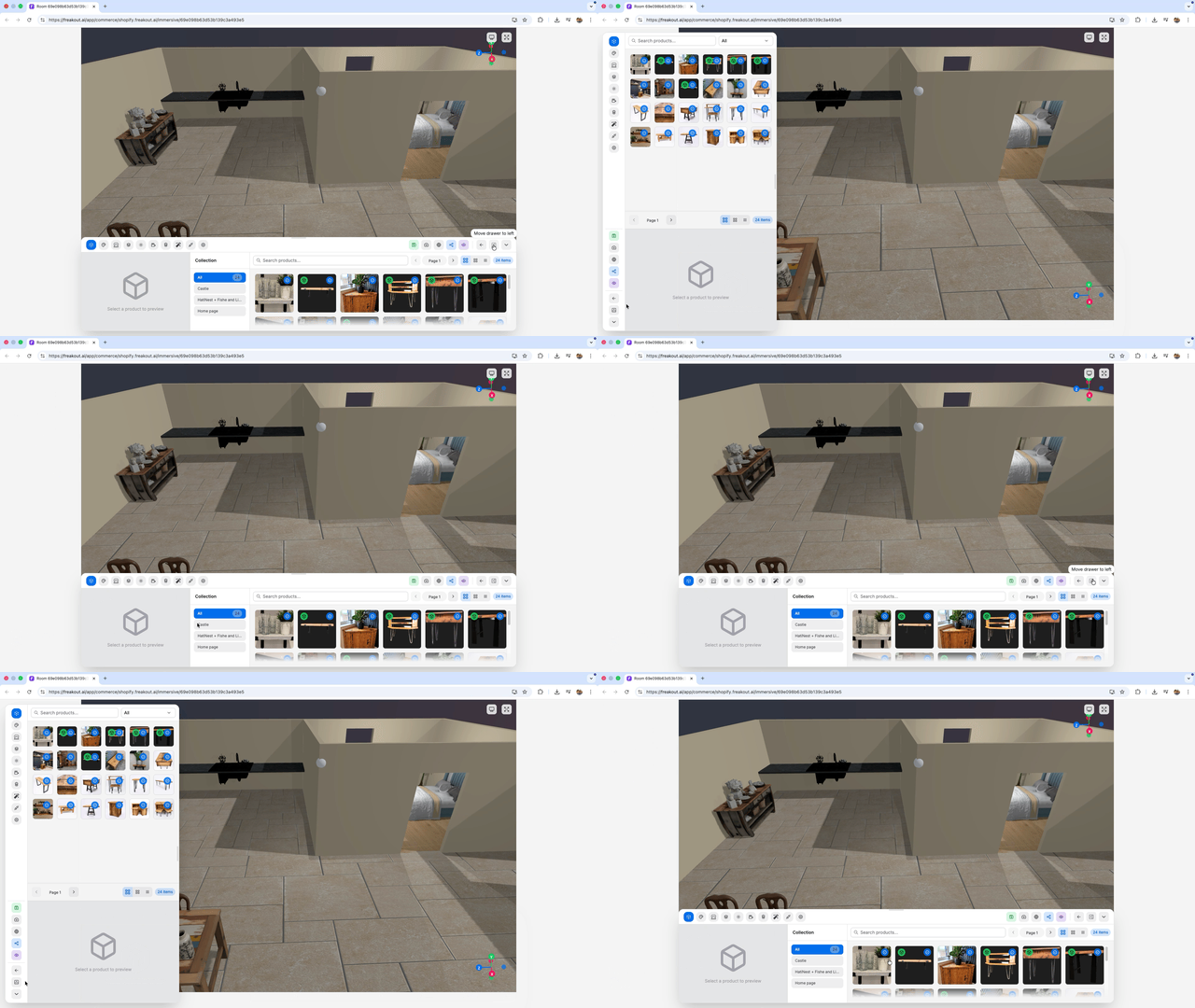
- A 3D canvas for placing products, assets, lights, and room geometry
- A top toolbar for save, agent access, screenshot, share, preview, and export actions
- A multi-tab drawer that can sit at the bottom or on the left
- A transform toolbar for moving, rotating, scaling, snapping, resetting, deleting, and adjusting selected objects
- Resize, collapse, and expand controls for the active drawer
Common layout actions:
- Move the drawer between
bottomandleftto match your workflow - Collapse the drawer when you need more canvas space
- Save before sharing, previewing, publishing, or embedding
- Use agent access from the toolbar to copy a room-editing prompt into an agent app or CLI, then keep the room editor open to inspect saved changes
- Use Hot Keys for transform, copy, selection, and mode shortcuts
Drawer map:
- Products Drawer for catalog browsing and drag-and-drop placement
- Asset Manager Drawer for generated files, materials, textures, and compression
- Scene Drawer for room shell, visibility, and geometry
- Models Drawer for placed products, assets, and avatar management
- Annotations Drawer for hotspots, shopper cards, mesh effects, object animations, and world-space text
- Environment Drawer for lighting, shadows, lights, and background
- Camera Drawer for orbit, focus, zoom, and clipping rules
- Interactions Drawer for camera events, scene hands, avatars, and physics
- Effects Drawer for post-processing and visual polish
- Integrations Drawer for AI providers, device bridging, and workflows
- Settings, Publish, and Support for room metadata, public access, embed, and support
Availability notes:
Productsappears for Shopify-connected shopsPublishrequires a saved roomAgent accessrequires a saved room- Origin override appears in the transform toolbar when an uploaded asset is selected
Suggested media: