

License Activation
The Freakout SDK license is activated per publishing domain. Before your video player works outside localhost, register your Unity purchase with Freakout and paste the generated token into the SDK Manager. Follow these steps.
1 - Go to https://freakout.ai and register a new user. Using the same email as your purchase speeds up verification.
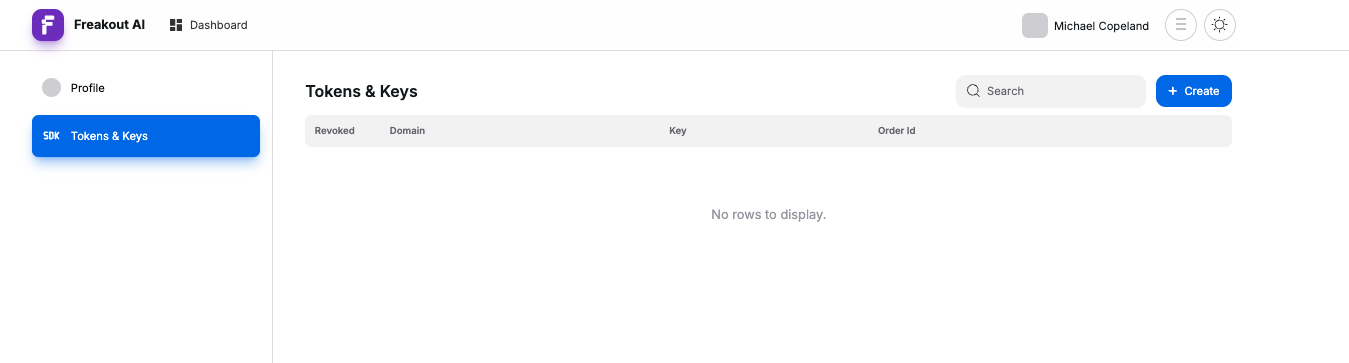
2 - Once registered, feel free to ignore the subscribing and go to https://freakout.ai/app/settings/tokens
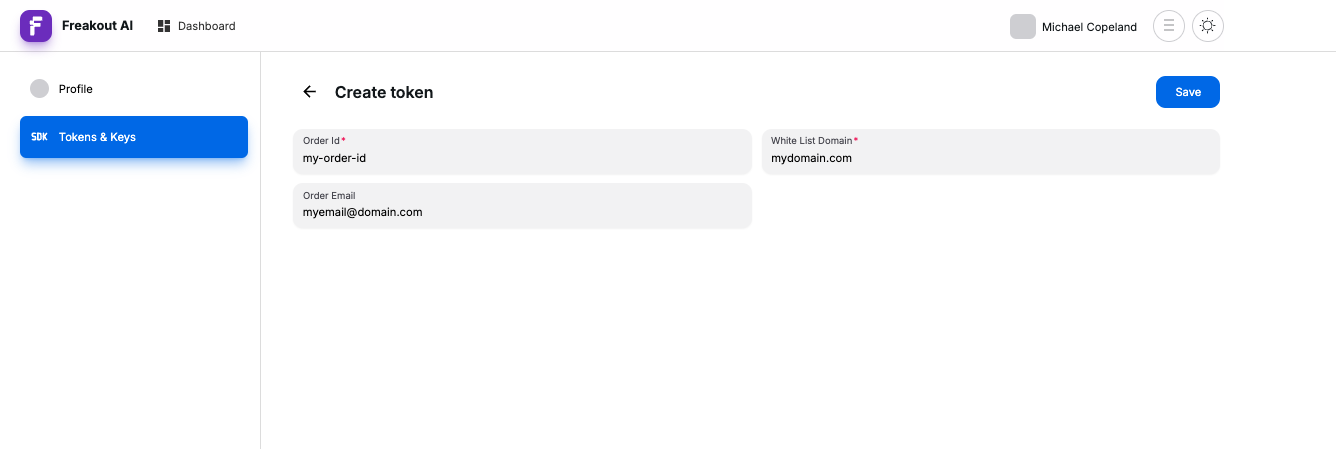
3 - Click "Create", add your Unity Order ID, purchase email, and publishing domain, then hit save.
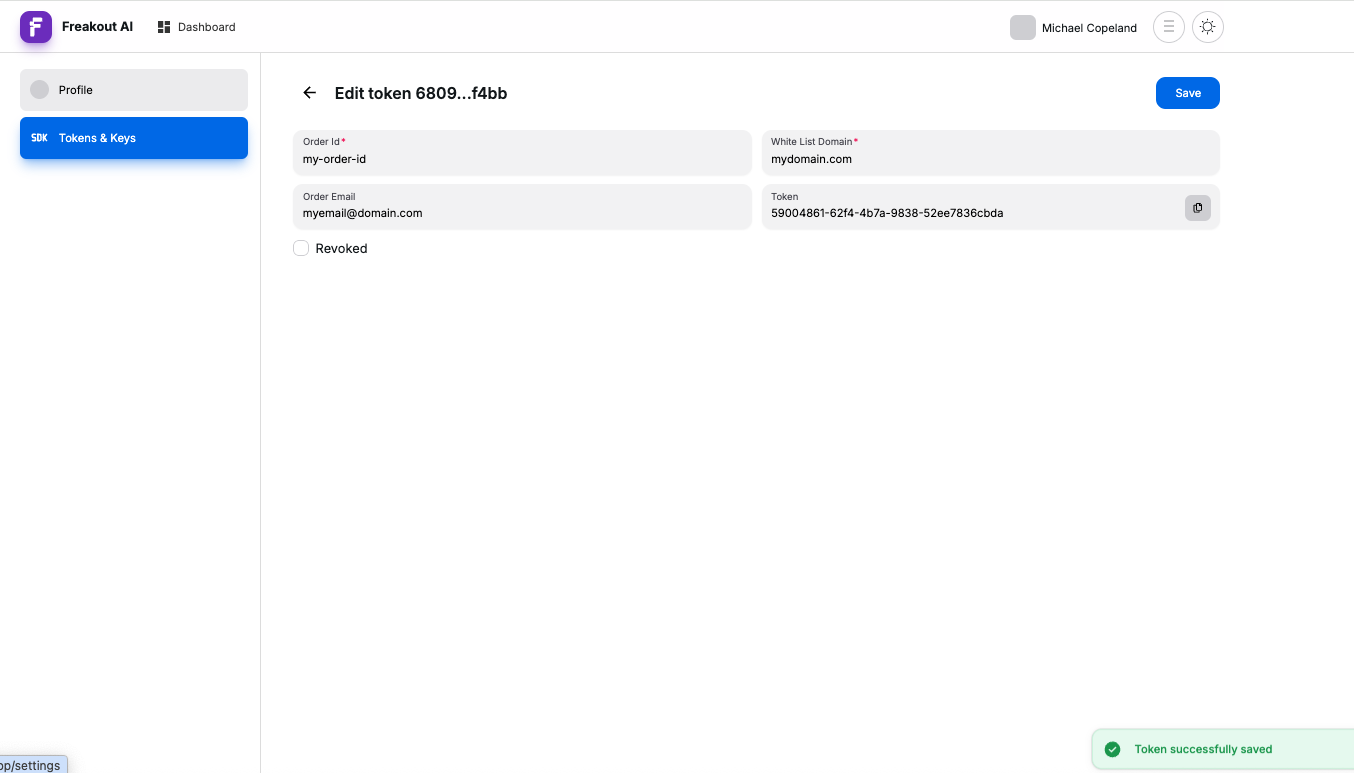 4 - Copy the token into the
 SDK Manager
.png) 5 - Now build your project, and the VideoPlayer will work on your associated domain.
5 - Now build your project, and the VideoPlayer will work on your associated domain.