

Geometry Tab
Use Geometry to add, select, lock, and refine custom room geometry.
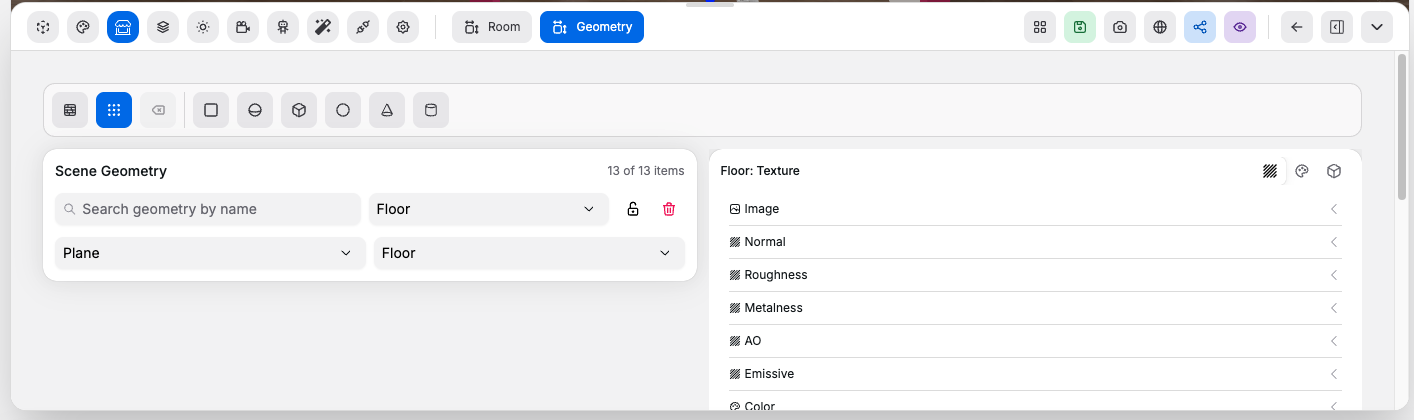
Draw and Add Tools#
Controls:
Draw Walls: enters or exits wall drawing modeSnap To Grid: snaps wall drawing points to the gridClear Draw Path: clears the current unfinished wall pathPlane,Sphere,Box,Circle,Cone,Cylinder: adds that geometry type to the scene
Scene Geometry List#
Controls:
Search geometry by name: filters the visible geometry list by name, type, or roleSelect geometry: jumps to and selects a geometry item- Lock button: locks or unlocks the selected geometry
- Delete button: removes the selected geometry if it is not locked
Selected Geometry Controls#
Controls:
Type: changes the selected geometry typeRole: changes the selected geometry role such ascustom,dynamic,floor,roof, or wall directions
Geometry Config Card#
What you configure there:
- Size and dimensional fields for the selected geometry
- Material settings such as color, roughness, metalness, opacity, and blending
- Texture settings including repeat, offset, rotation, scale, and face targeting
- Face-specific texture assignment for box-like geometry
- Window cutout and glass options for supported geometry types
Good to know:
- Locked geometry cannot be deleted or changed until it is unlocked
- Role geometry affects how the room behaves, not just how it looks