

Products Drawer
Use the Products drawer to browse the store catalog and pull products into the room.
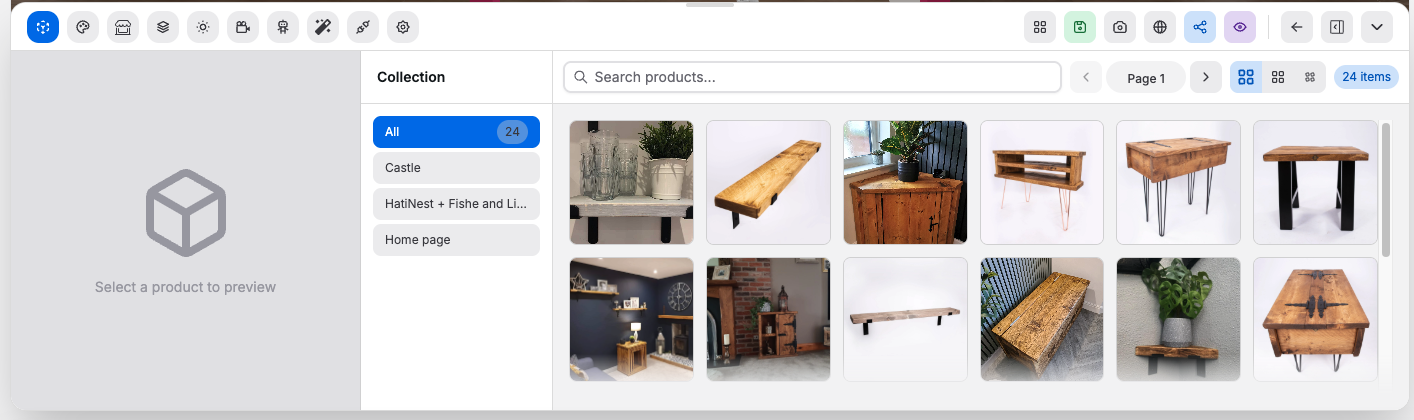
Controls:
Search products...: filters the visible catalog list by product textCollection: limits the list to a selected collection, orAll- Grid size controls: switch between smaller and larger product cards
- Pagination controls: move between result pages
- Product card: preview a product before placing it
Model Availablebadge: the product already has a usable 3D modelProduct Understoodbadge: the product has supporting product context available
Typical workflow:
- Search by product name or filter by collection
- Review the card preview and badges
- Drag the product into the canvas
Good to know:
- This drawer is shown for Shopify-connected shops
- This page documents the main catalog workflow for client-facing usage