

Textures Tab
Use Textures to review texture files, compress them, and create per-material overrides.
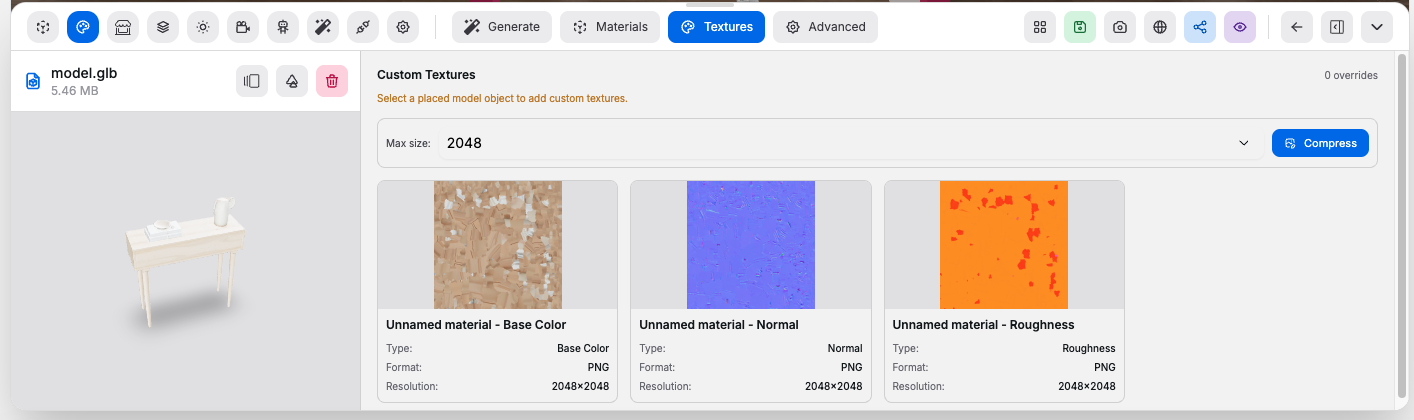
Texture Review#
Controls:
Max texture size: sets the target texture limit used during compressionCompress: recompresses textures and rebuilds the texture list- Texture list: shows texture type, format, resolution, mesh, and material linkage
Selected Material Targeting#
Controls:
- Material selector: chooses which material slot you are editing
- Texture type selector: chooses the texture channel to override, such as base color, normal, roughness, metalness, AO, or emissive
Custom Texture Overrides#
Controls:
Add Custom Texture: uploads an image or video override for the selected material slot- Solid color override: writes a flat color texture for base color
- Replace texture action: swaps the selected override media
- Transform editor: changes repeat, offset, rotation, and scale
- Shadow toggles: controls cast and receive shadow behavior for the override target
Good to know:
- Overrides are attached to the selected placed model object, not globally to every copy of that material
- The transform editor updates the override in place as you adjust it