

Materials Tab
Use Materials to inspect the materials found in the current model and adjust material properties.
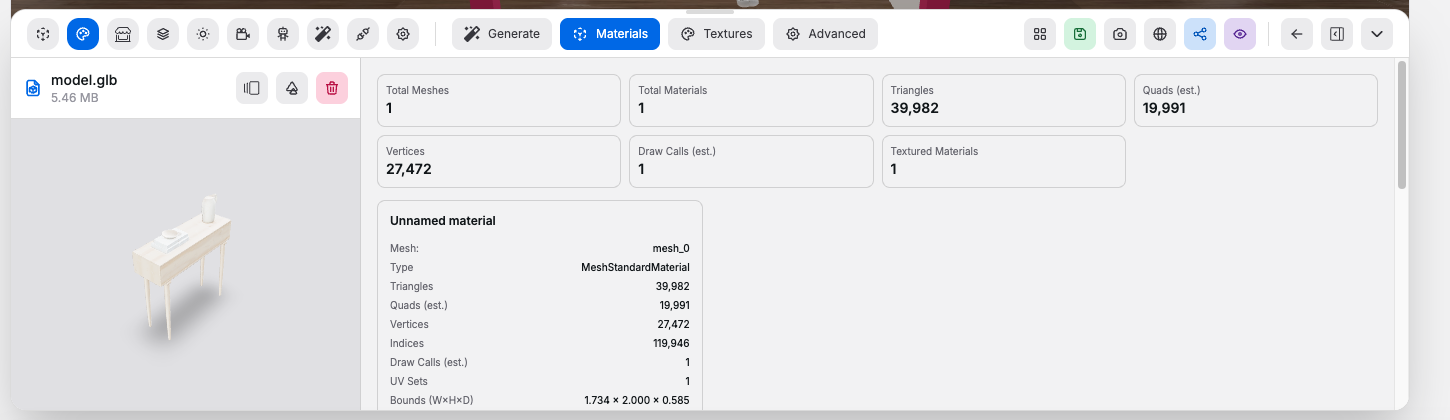
Material Summary#
Each material card shows:
- Mesh name
- Material type
- Triangle, vertex, index, and draw-call counts
- UV set count
- Bounding-box size
- Whether normals, tangents, vertex colors, skinning, or morph targets are present
- Texture map count and map types
Editable Controls#
Controls:
Color: base material colorEmissive: self-illumination color for supported materialsMetalness: how metallic the surface behavesRoughness: how matte or glossy the surface behavesOpacity: overall transparency levelTransparent: allows the material to render with transparencyDouble-Sided: renders both sides of the surfaceWireframe: renders the material as wireframeApply Material Changes: writes the edited values back into the model
Good to know:
- Standard material controls such as emissive, metalness, and roughness only appear when the material type supports them