

Text Tab
Use Text to add world-space title and description text directly to the scene.
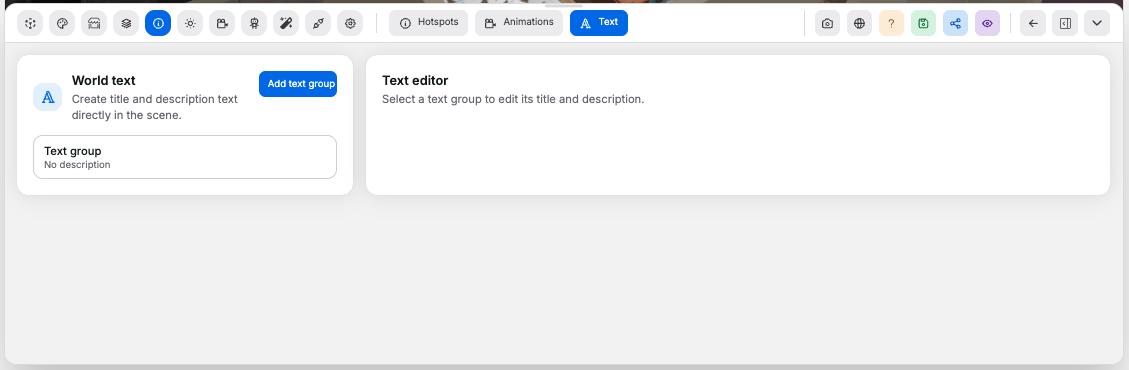
Text Group List#
Controls:
Add text group: appends a new text group at a default position- Group button: selects a text group from the list and opens it in the editor
- Canvas context menu: right-click an empty point in the room and choose
Add > Textto drop a group at the clicked position
Text Editor#
Shown when a text group is selected.
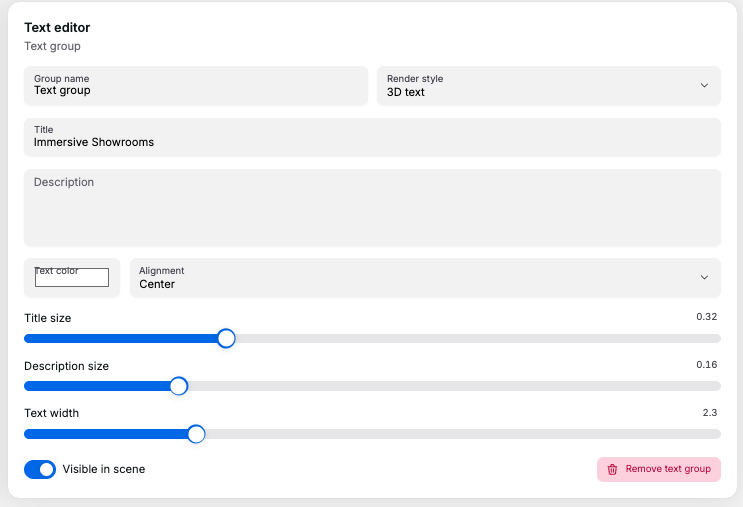
Controls:
Group name: editor-only label for the text groupRender style: choosesFlat textor3D textTitle: the headline shown in the sceneDescription: supporting text shown beneath the titleText color: changes title and description colorAlignment: choosesLeft,Center, orRightTitle size: scales the title in world units. Range0.05to1, step0.01Description size: scales the description in world units. Range0.04to0.6, step0.01Text width: maximum line width before wrapping, in world units. Range0.5to8, step0.1Visible in scene: shows or hides the text group without deleting itRemove text group: deletes the selected text group
 Good to know:
- Text groups transform with the same editor gizmo as other scene objects
- Clicking a text group in the canvas selects it and opens this tab on the group
3D textrenders extruded geometry;Flat textis plain 2D text placed in 3D space- Visible text groups appear in the published shop viewer