

Room Tab
Use Room for the editable shell of the showroom.
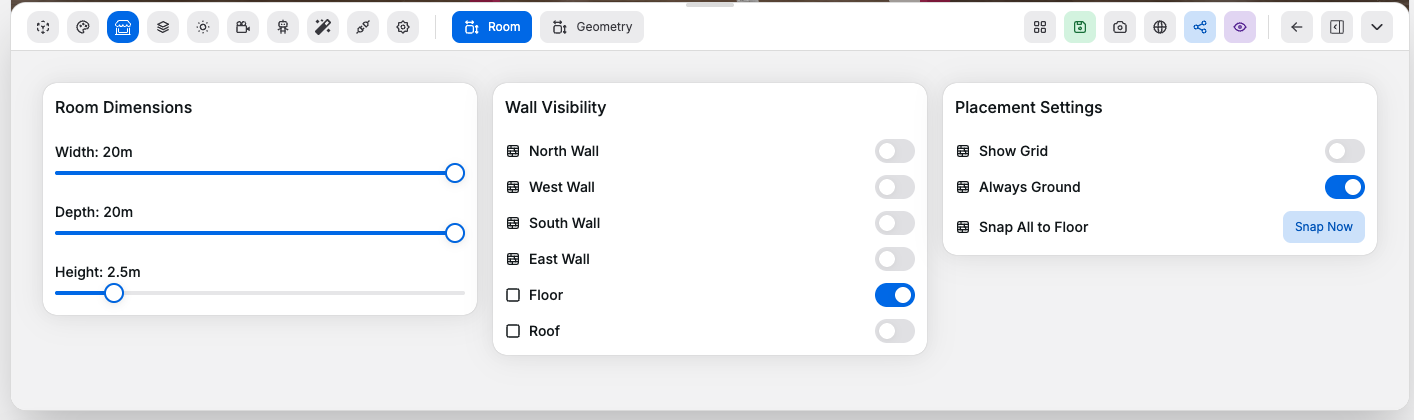
Room Dimensions#
Controls:
Width: changes room width in meters. Range2to20, step0.5Depth: changes room depth in meters. Range2to20, step0.5Height: changes wall height in meters. Range2to6, step0.5- Room dimension sliders overall: update the main room dimensions and the matching wall and floor role geometry so the shell stays aligned
Wall Visibility#
Controls:
North Wall: shows or hides the north wall role geometryWest Wall: shows or hides the west wall role geometrySouth Wall: shows or hides the south wall role geometryEast Wall: shows or hides the east wall role geometryFloor: shows or hides the floor role geometryRoof: shows or hides the roof role geometry
Placement Settings#
Controls:
Show Grid: shows or hides the placement grid overlayAlways Ground: keeps object placement grounded to the floorSnap Now: moves placed objects back onto the floor
Good to know:
Snap Nowis only useful when there are placed objects to re-ground- The room shell should usually be set here before fine-tuning camera or effects