

Settings Tab
Use Settings for room metadata, visibility, and performance-related configuration.
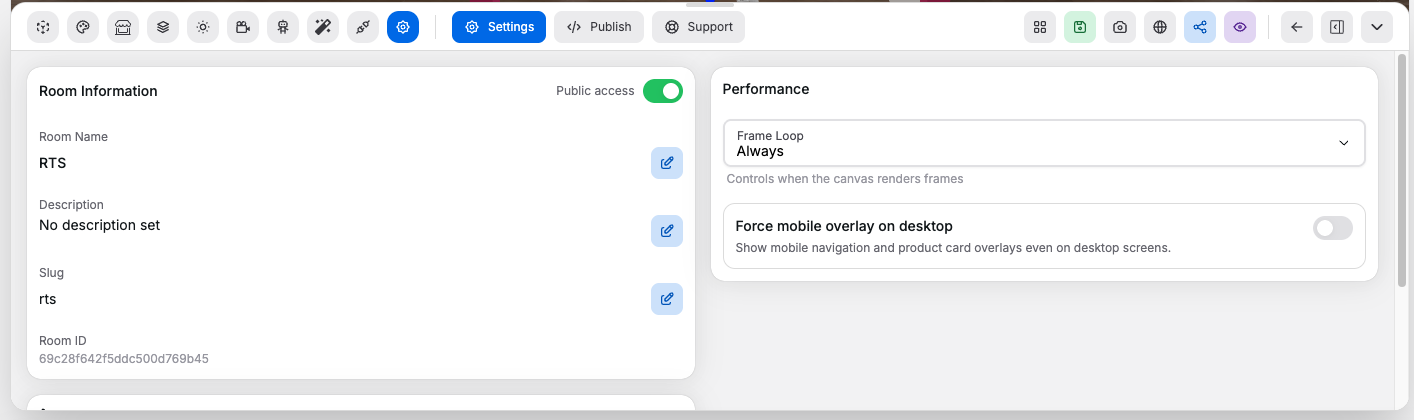
Room Information#
Controls:
Room Name: sets the display name of the roomDescription: adds or changes the room descriptionSlug: defines the public-facing slug- Edit buttons for each field: switches that field into edit mode
Save: stores the current field changesCancel: leaves edit mode without applying the current field changes
Public Access#
Controls:
Public accessswitch: enables or disables public room access through the room link
Subscription Limits#
The number of rooms you can have published (public) at the same time depends on your subscription plan:
- Free (no plan): cannot publish rooms — upgrade to a paid plan to go live
- Paid plans: each plan defines a maximum number of live rooms (check your plan details under Subscription in the sidebar)
- Plans with unlimited rooms: some higher-tier plans allow unlimited public rooms
When you reach your plan's live room limit, the public access toggle will be blocked and you'll see an error. To publish more rooms, either unpublish an existing room or upgrade your plan on the Plans & Pricing page.
Navigation#
You can access your showrooms from the commerce sidebar:
- Desktop: the sidebar is always visible on the left — open Showrooms → All Rooms to manage rooms, or Showrooms → Analytics & Insights for performance data
- Mobile: tap the menu button (⋮) in the top-right corner to open the navigation drawer, then navigate to the same sections
Performance#
Controls:
Frame Loop: chooses how often the canvas rendersForce mobile overlay on desktop: forces the mobile overlay experience even on desktop-sized screens
Shopify Integration#
Controls:
Add Shopify Buy Button: opens the buy button token workflow- Buy button code input: accepts pasted Shopify buy button code
Save token: extracts and stores the Shopify storefront access token from that code