

Connect Tab
Use Connect to manage provider keys and choose the room AI provider.
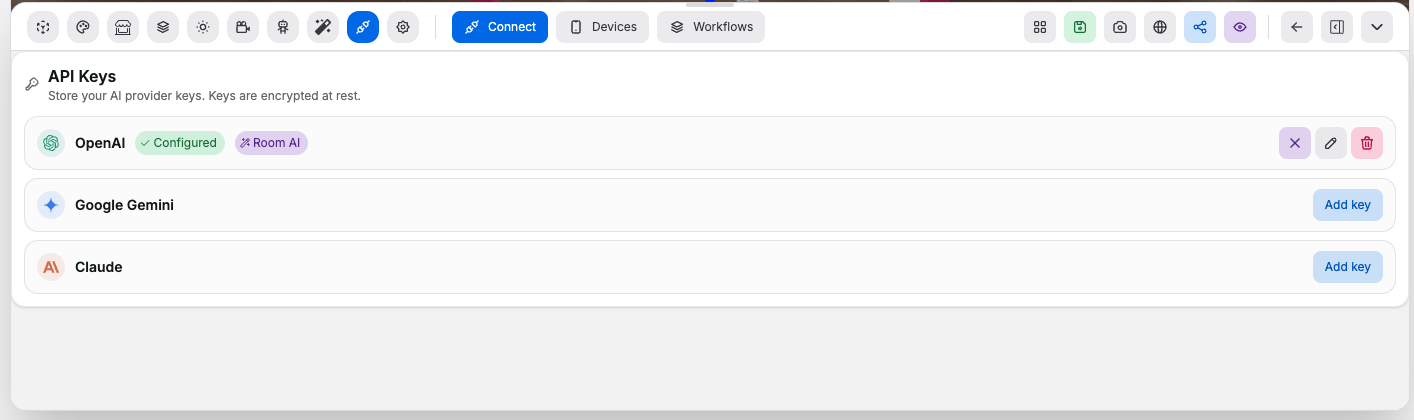
Controls:
Add key: saves a provider key at the profile levelEdit key: updates a stored provider keyDelete key: removes a stored provider keyAdd to room: attaches a configured provider to the current roomRemove from room: removes the room-level provider assignmentClear: clears the active room provider without deleting saved keys
Supported providers:
- OpenAI
- Google Gemini
- Claude