

Introducing Creative Studio: Turn Product Images Into Campaign-Ready Creatives
Product marketing should not start from a blank page.
For most ecommerce teams, the product image is already there. It is sitting in the catalog, on the product page, in Shopify admin, or in a folder of launch assets. The hard part is turning that product image into the next thing the business needs: a social post, a banner, a product tile, a story placement, an email hero, or a sharper visual for a campaign.
That is why we built Creative Studio.
Creative Studio is a new FreakoutAI workflow that turns product images into AI-generated marketing creatives. Start with a product from your catalog or upload your own references, describe the audience and campaign direction, choose a format, and generate an on-message image built around one idea, one emotion, and one clear call to attention.
It is now rolling out in beta, with access granted after approval.
Your Brand Rules Come With You
A product image is only part of the job. The creative still has to feel like it belongs to your brand.
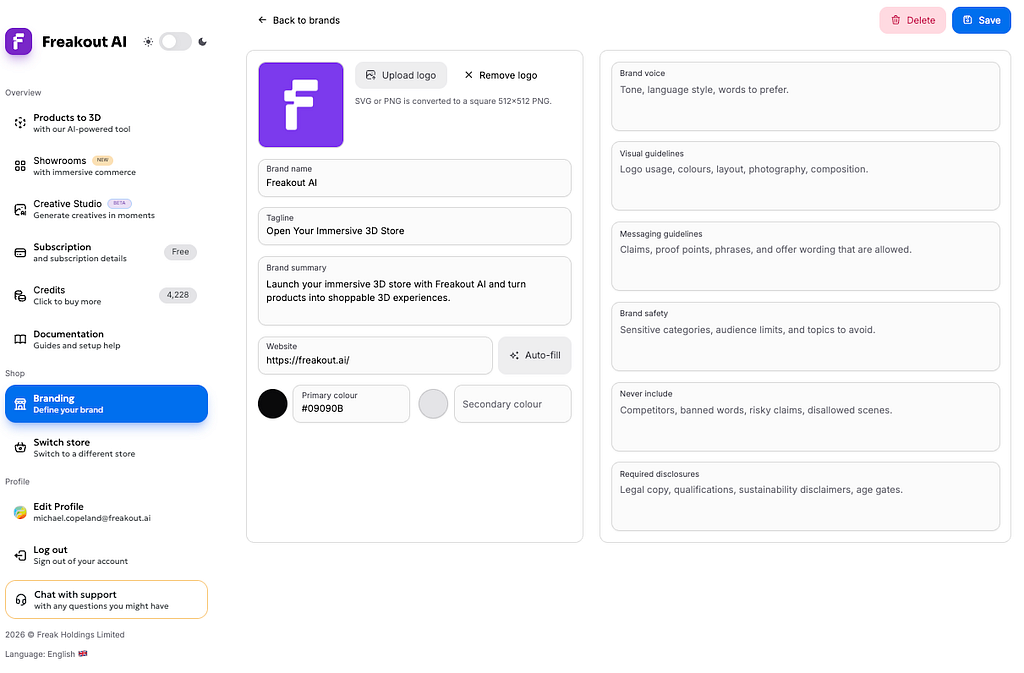
Creative Studio connects with the new Branding section in FreakoutAI. Merchants can save brand profiles with logos, colors, tone of voice, visual guidelines, messaging rules, safety notes, prohibited content, and required disclosures. You can also auto-fill brand details from a public website, then refine the profile manually.
Once a brand is attached to a creative, those rules are applied automatically. The logo can be used as a reference, the colors and voice guide the output, and the creative system has guardrails for what should and should not appear.
Because Creative Studio generates images with AI, teams should review outputs before publishing and use the required disclosures field to keep AI, legal, promotional, and product disclosures attached to the creative workflow.
The goal is simple: less retyping, fewer off-brand experiments, and a faster path from product image to usable campaign asset.
From Product Source To Finished Creative
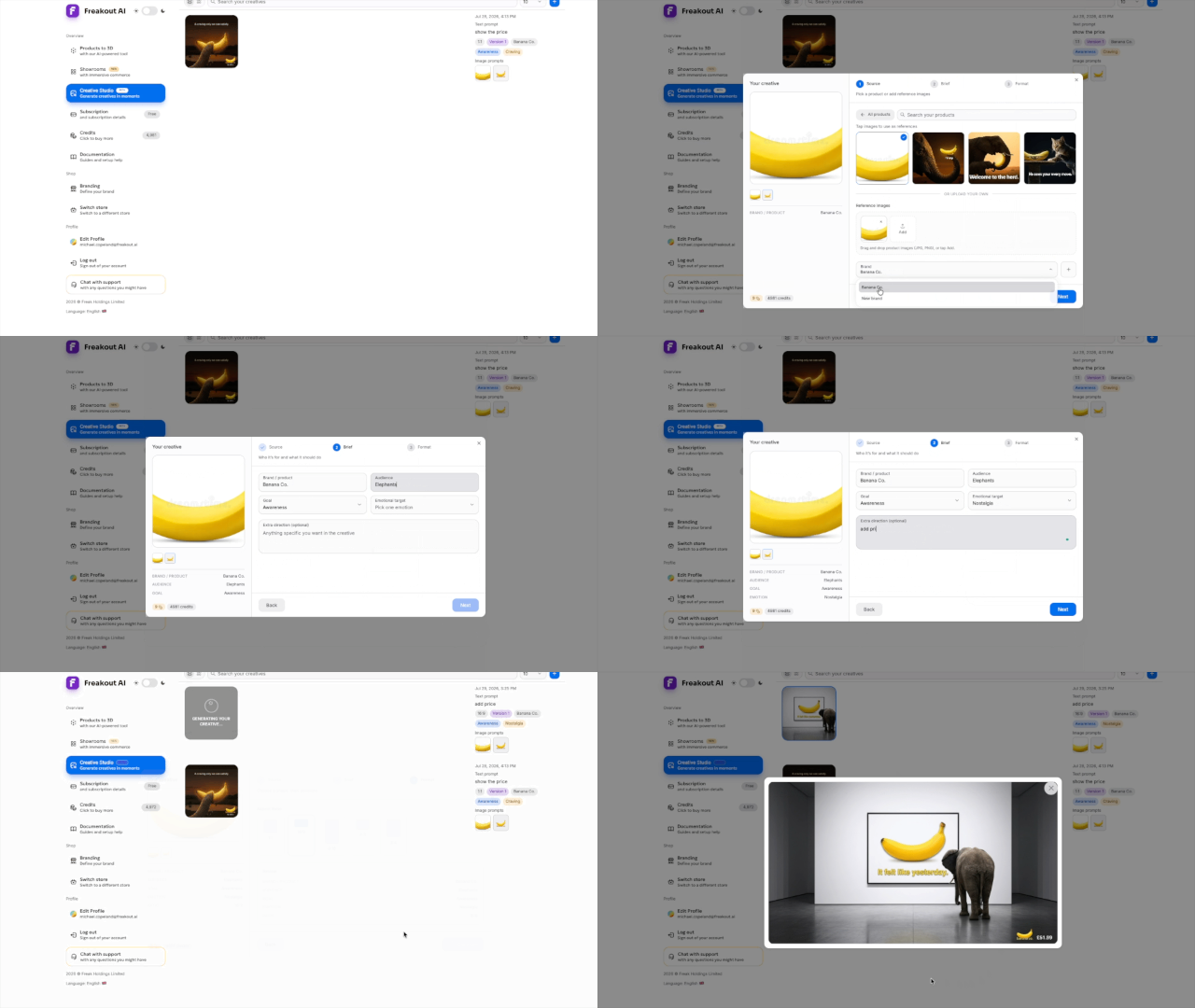
The workflow has three steps: Source, Brief, Format.
In Source, you choose where the creative starts. Shopify merchants can pick a product from their catalog and use its images as references. You can also upload your own JPG or PNG references. A creative can use up to five reference images, with a saved brand logo counting as one of those references when attached.
In Brief, you define the campaign. Add the brand or product name, target audience, goal, emotional direction, and any optional extra instructions.
In Format, you choose the output shape. Choose from exactly five supported aspect ratios: 1:1, 16:9, 9:16, 4:3, and 3:4.
Then you generate.
A creative takes about a minute and runs in the background, so you can keep working. Each store can have up to two active generations at the same time, with additional rate limits of ten generations per minute and 60 per hour.
Each generation costs 9 credits. That is approximately 66 creatives per month on the Basic plan. If a generation fails, the credits are automatically refunded.
When the image is ready, it appears in your results and in your Creative Studio gallery. Download and upload any creative you want to keep.
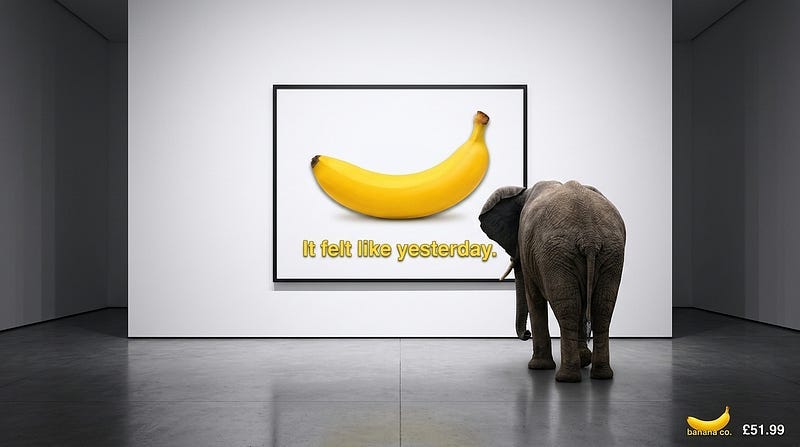
When a creative is built from a Shopify product, its live store price is passed to the generator at the time of generation, so the model works from your real price instead of inventing one. As with any AI output, review the final image before publishing.
Why This Matters
FreakoutAI started by helping merchants turn product photos into 3D models and immersive showrooms. That workflow is still central to the product: generate assets, build rooms, let customers explore products in context, and make ecommerce more visual and interactive.
Creative Studio expands that same idea into campaign creation.
The product catalog should not be a static endpoint. It should be a source of reusable visual material. The same product that appears in a showroom can also become a launch image, a paid social concept, a seasonal campaign asset, or a new product-page visual.
For small teams, that means faster creative testing without waiting on a full design cycle for every variation. For larger teams, it means a more structured way to explore product-led creative directions while keeping brand rules attached.
Creative Studio is not trying to replace the judgment of a marketer or designer. It is meant to remove the slow first step: getting from a product image and a campaign idea to something concrete enough to evaluate.
Available In Beta
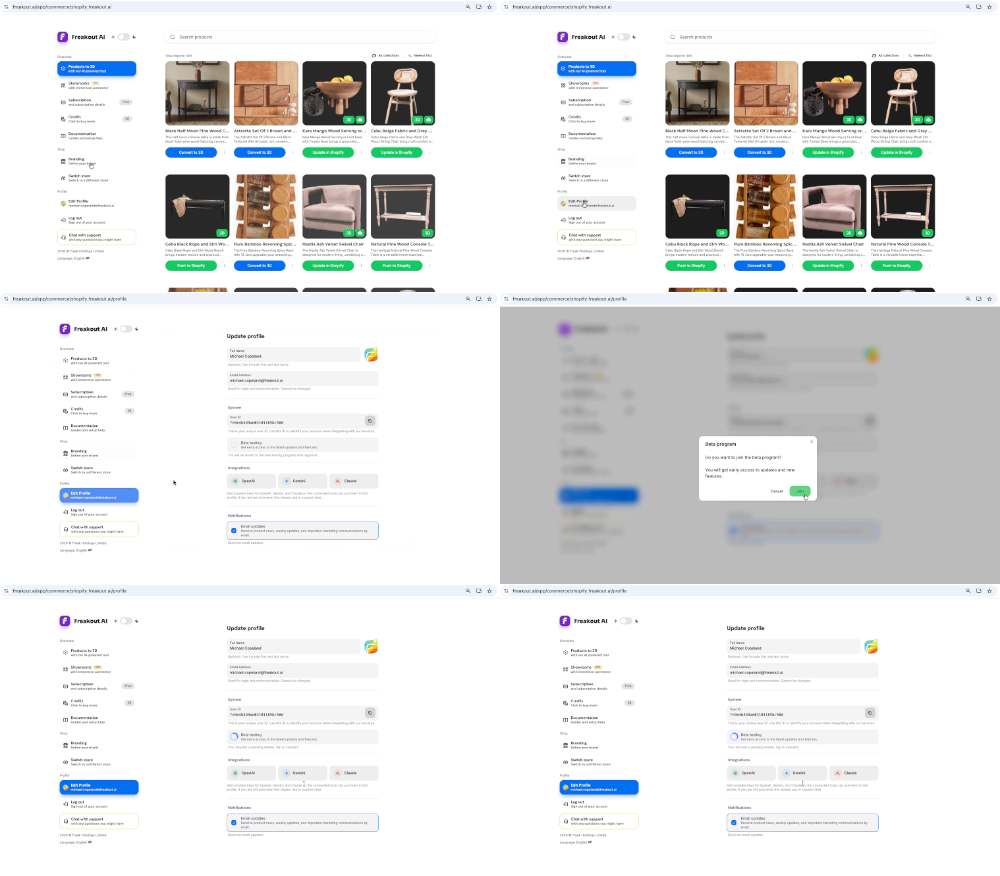
Creative Studio is rolling out to approved beta accounts in FreakoutAI. If it is enabled for your account, you will see Creative Studio in the sidebar.
To request access, go to Settings → Beta testing and submit a request. You will be added to the beta testing program after approval.
Start with a clean product image, write a focused brief, pick one emotional target, attach a saved brand, and generate your first creative.
Product images are no longer just catalog assets.
They are campaign starting points.
Get In Touch!
Shopify App: https://apps.shopify.com/freakout-ai
Join the immersive revolution at https://freakout.ai/
Follow FreakoutAI on LinkedIn: https://www.linkedin.com/company/freakoutai