Cross-Section and X-Ray Views Bring Interactive 3D Products Inside Out
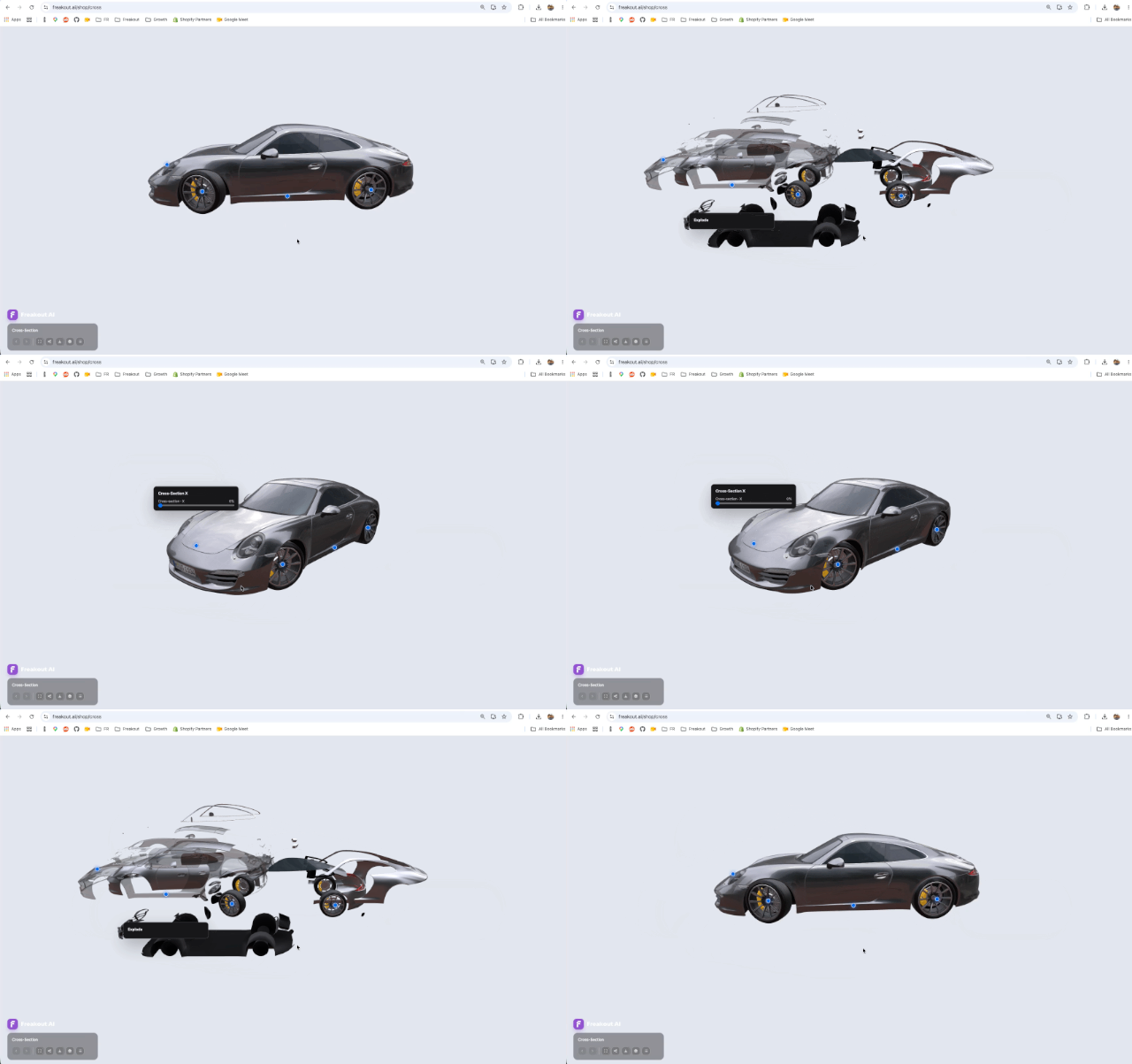
FreakoutAI now supports cross-section and x-ray style 3D product reveals, helping brands explain what is inside complex products directly in the browser.
Embedded interactive demo from freakout.ai/shop/cross. Have a play!
Some products are not understood from the outside.
A customer can look at a fan, a vehicle, an appliance, or a piece of hardware and still have questions: what moves, what is hidden, how the parts fit together, and why the design matters.
That is where cross-section views become useful.
FreakoutAI now supports cross-section and x-ray style reveals inside interactive 3D rooms, turning a product model from something customers can look at into something they can explore.
Cut Through the Model, Not the Experience
The new cross-section controls let a 3D model be opened along a chosen axis. A hotspot can reveal a slider, and the viewer can cut through the object directly in the browser.
That means a product can show more than its outer shell.
A shopper, buyer, or in-store visitor can move from the finished object to the detail inside it without leaving the experience, opening a separate video, or downloading another app.
You can see the feature in two live examples:
Try it out: Car cross-section demo
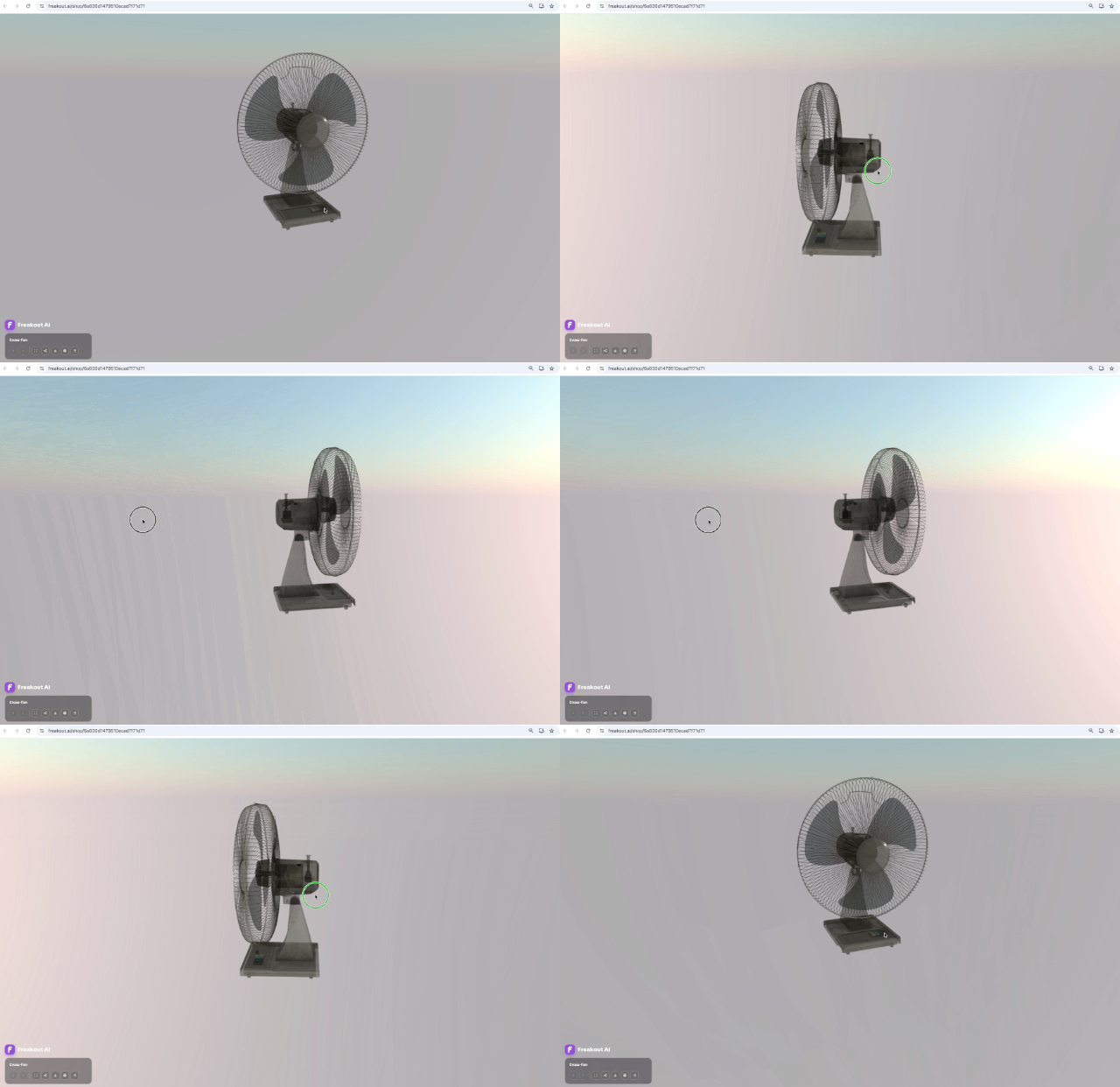
Built for Product Explanation
This is especially useful for products where the hidden details matter.
Appliances can show airflow, filters, or motors. Automotive and mobility products can show structure and internal layout. Furniture, equipment, and hardware can reveal materials, mechanisms, or construction details that are hard to explain with flat images.
The feature also works naturally with FreakoutAI's annotation system. A room can guide the viewer from one hotspot to another, using cross-section, x-ray, animation, or exploded views as part of the same product story.
The result is a richer explanation without turning the experience into a video.
The customer stays in control.
More Than a Demo Effect
This started as a customer-facing request, but it has shipped as a platform capability.
That distinction matters. Cross-section and x-ray views are not a one-off visual trick made for a single room. They are now part of the broader FreakoutAI interactive viewer, so they can be used across future product demos, showrooms, sales presentations, and in-store experiences.
A 3D product page can now do more than display scale and shape.
It can explain.
From Product Page to Product Story
Online retail has spent years improving how products look. The next step is improving how products are understood.
Cross-section and x-ray views are part of that direction. They help brands show the details that usually require a salesperson, a diagram, or a physical demo.
And because the experience runs in the browser, it can travel wherever the customer is: a product page, a showroom, a trade-show screen, or an in-store display.
Explore the demos:
Get In Touch!
Shopify App: https://apps.shopify.com/freakout-ai
Join the immersive revolution at https://freakout.ai/
Follow FreakoutAI on LinkedIn: https://www.linkedin.com/company/freakoutai