

3D Made Easy: Scanning Rooms and Objects With Your Phone
On April 30th, 2026, the first commit for the FreakoutAI iOS scanner app was pushed.
Today (May 7th, 2026), the app is live on the Apple App Store. 7-Day turnaround.
Download FreakoutAI on the App Store:
https://apps.apple.com/app/freakoutai/id6766220433
The app itself is intentionally simple.
No accounts. No authentication. No complicated onboarding flows.
Just two options:
Room Scan or Object Scan.
That was the entire goal for V1.
Why We Built It
At FreakoutAI, we’ve been building immersive commerce experiences and interactive 3D storefronts. One thing became clear very quickly:
Creating usable 3D assets is still too difficult for most people.
Traditional workflows often rely on specialised software, expensive hardware, or technical pipelines that many creators and retailers simply don’t have access to.
But this project wasn’t only about simplifying 3D creation.
We also wanted to explore the spatial capabilities built into modern Apple devices and understand how technologies like LiDAR, room reconstruction, and object capture could eventually integrate into future scene generation and immersive world-building workflows at FreakoutAI.
Keeping V1 Simple
One of the biggest decisions during development was resisting the temptation to overbuild the product.
It would have been very easy to add accounts, cloud sync, project management systems, AI processing pipelines, collaborative tools, and a much larger feature set.
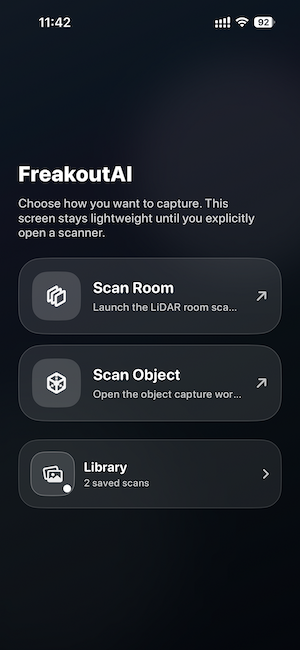
But we deliberately avoided all of that.
The first version needed to answer one very simple question:
Can we make 3D scanning feel effortless?
So the workflow became:
open the app, choose room or object, scan, export.
That simplicity ended up becoming one of the best parts of the experience.
Room Scan
The Room Scan mode uses Apple’s RoomPlan and ARKit frameworks to reconstruct indoor spaces in real time.
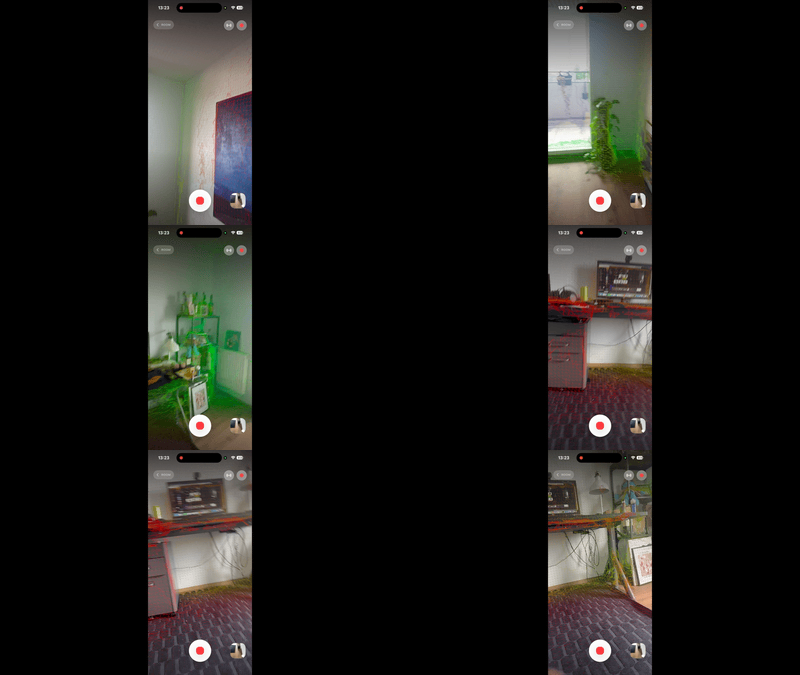
As users move through a room, the device identifies walls, floors, doors, windows, furniture, and the overall dimensions of the space.
What’s fascinating is that the phone isn’t just capturing geometry anymore.
It actually understands the environment semantically.
Watching an iPhone build a structured spatial representation of a room in real time still feels slightly surreal.
Object Scan
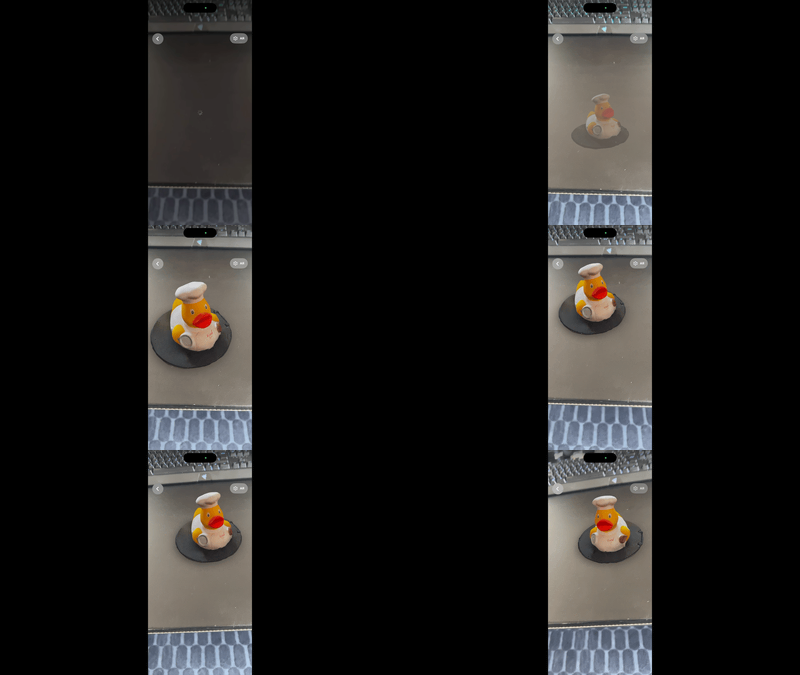
The second mode focuses on object capture using RealityKit photogrammetry APIs.
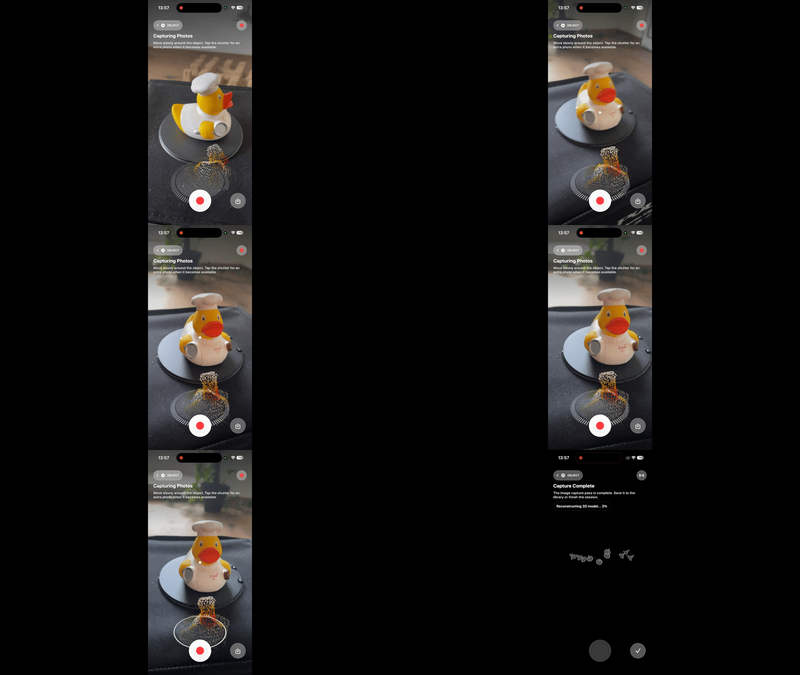
Users move around a physical object while the device captures imagery from multiple angles, eventually generating a textured 3D model.
Originally, the use case was heavily commerce-focused. Furniture, decor, retail products, and homeware were the obvious targets.
But during testing, people started scanning absolutely everything around them instead.
Plants. Shoes. Coffee mugs. Ducks.
Once you realise your phone can turn physical objects into usable 3D assets, it becomes surprisingly addictive.
Building With Apple’s Spatial Stack
One thing that became obvious very quickly is just how powerful Apple’s spatial frameworks have become.
ARKit and RealityKit now expose functionality that would have felt impossible on consumer mobile devices only a few years ago.
At times, development felt much closer to building game engine tooling or real-time rendering software than traditional mobile applications.
Which probably says a lot about where the industry is heading.
The boundaries between mobile apps, spatial computing, real-time graphics, AI, and immersive experiences are starting to disappear.
The Fastest Project We’ve Shipped
From the first commit to App Store release took just over a week.
That speed was possible because of modern Apple frameworks, rapid iteration cycles, AI-assisted development workflows, and intentionally keeping the scope small.
Interestingly, the hardest part wasn’t the scanning technology itself.
It was productisation.
Getting something ready for the App Store forces you to think differently about software. Permissions, onboarding, screenshots, app icons, privacy disclosures, review guidelines, edge cases, and user expectations suddenly matter just as much as the engineering.
Turning a prototype into a public product completely changes your perspective.
What Comes Next
This first release is only the beginning.
The next major step is authentication and synchronisation with the FreakoutAI editor platform.
The long-term vision is to allow users to scan rooms and products directly from their phone, upload them into FreakoutAI, and then transform that spatial data into immersive interactive environments and storefronts.
Right now, the app is intentionally lightweight.
But over time, it will evolve into part of a much larger immersive commerce ecosystem.
Final Thoughts
The current version of the app is simple by design.
That simplicity matters.
Sometimes the hardest thing in software development is deciding what not to build.
V1 didn’t need accounts.
It didn’t need social systems.
It didn’t need complexity.
It just needed to work.
And now it does.
— -
Get In Touch!
Sign Up Today: https://freakout.ai/login/commerce
Download FreakoutAI for iPhone and iPad:
https://apps.apple.com/app/freakoutai/id6766220433
Editor available on paid plans: https://apps.shopify.com/freakout-ai
Follow us on LinkedIn
Learn more about FreakoutAI